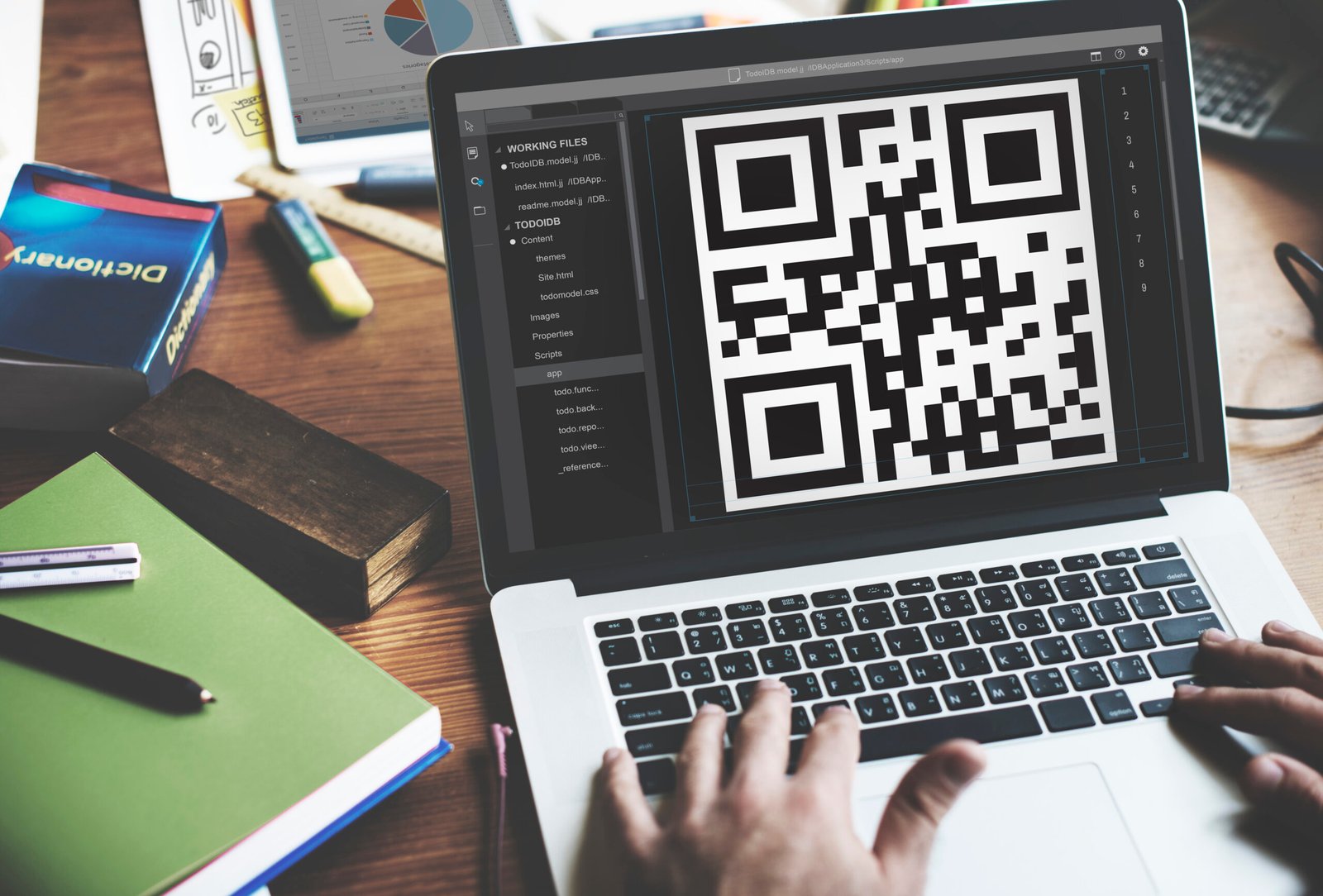
Uitly: A Complete Guide to the Smart Link Management Platform, URL Shortener, QR Codes.
Sharing information online has become an essential part of personal communication, digital marketing, and business growth. People regularly share website addresses through social media, emails, advertisements, business cards, and messaging applications. However, long and complicated URLs can look untidy, become difficult to remember, and take up unnecessary space.
This is where link management tools become useful. They help users create shorter links, organize digital destinations, generate QR codes, and understand how audiences interact with shared content.
Uitly is a name associated with digital link management tools. The platform at Uitly.com presents services for shortening URLs, creating dynamic QR codes, building bio pages, and monitoring link performance. Its website also highlights features such as custom aliases, branded domains, analytics, and smart deep linking. UITLY+1
These tools can be useful for content creators, small businesses, marketers, and individuals who share multiple links across different platforms.
One important detail is that several websites use the name Uitly, including different domains such as .com, .io, .in, and .net. Their features and services should not automatically be treated as identical. This article primarily discusses Uitly.com, while explaining why checking the exact domain matters. UITLY+3
What Is Uitly?
Uitly.com is an online link management platform designed to make digital sharing more organized. Instead of sharing complicated website addresses directly, users can create shorter links that are easier to distribute.
The platform also promotes QR code generation and customizable bio pages. These features bring several common digital marketing activities into one service.
For example, a small business might use a short link in a social media advertisement, print a QR code on product packaging, and create a bio page containing links to its website, contact information, and online store.
Uitly also describes additional capabilities, including click analytics, custom domains, targeting options, and team management. UITLY
The general purpose is to make links easier to share, manage, and measure.
Understanding the Main Purpose
Uitly focuses on three main activities:
- URL shortening: Turning long website addresses into shorter, shareable links.
- QR code generation: Creating scannable codes that direct people to websites or other digital destinations.
- Bio page creation: Combining multiple links on one customizable landing page.
Together, these tools can help users maintain a more consistent digital presence.
Key Features of Uitly
Understanding the platform’s main features can help readers decide whether it matches their requirements.
1. URL Shortener
The URL shortener is one of Uitly’s central features. It allows users to transform lengthy website addresses into compact links.
Long URLs may contain tracking parameters, product identifiers, and other technical information. Although these details can be useful, they can make links look complicated when shared.
A shortened link provides a cleaner alternative.
For example, an online store could use a short link in a social media post instead of sharing a lengthy product URL.
Uitly’s website describes options such as custom aliases and branded domains, which can help businesses create links that better match their identity. UITLY
2. QR Code Generator
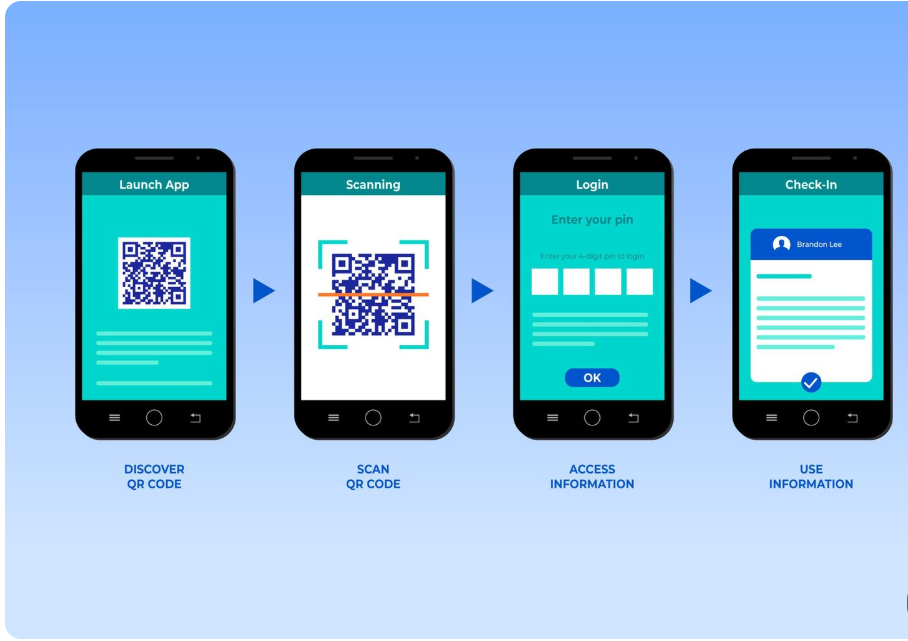
QR codes allow people to access digital information by scanning a square-shaped code using a smartphone camera or QR scanning application.
Businesses use QR codes on menus, posters, packaging, brochures, business cards, and promotional materials.
Uitly provides QR code tools that support customized designs and digital sharing. Its main website describes dynamic QR codes and customization options. UITLY
Possible applications include:
- Restaurant menus
- Product information
- Event registration
- Business websites
- Promotional campaigns
- Contact information
- Social media profiles
A QR code can make it easier for customers to move from printed material to an online destination.
3. Bio Pages
A bio page is a simple landing page that collects multiple links in one location.
This is especially useful for creators, freelancers, influencers, and businesses that want to share several online destinations through one profile link.
For example, a content creator might include:
- Personal website
- YouTube channel
- Instagram profile
- Online store
- Latest blog post
- Contact information
Instead of placing multiple separate URLs in a social media profile, the creator can share one bio page.
Uitly identifies bio pages as one of its main link management tools. UITLY+1
4. Click Analytics
Creating a link is only one part of digital marketing. Understanding how people interact with that link can be equally important.
Click analytics provide information about link activity. Depending on the service and its settings, this information may include click counts, device categories, referral sources, and approximate geographic information.
Uitly’s website promotes tracking features that help users understand how audiences interact with shared links. UITLY
These insights can help marketers evaluate whether a campaign is attracting attention.
5. Custom Aliases and Branded Domains
A custom alias allows users to personalize the ending of a shortened link.
For example, a business promoting a seasonal offer may prefer a recognizable link ending rather than a random collection of characters.
Branded domains can make shared links look more consistent with a company’s identity.
These options may be particularly useful for businesses that distribute links through advertisements, newsletters, and printed materials.
6. Smart Deep Linking
Smart deep linking is designed to direct users to a particular location inside a supported mobile application instead of always opening a general website page.
For example, a promotional link for a music track may open the relevant track inside a compatible music application when the application is installed.
Uitly describes smart deep linking as a feature that can direct users into supported applications and provide a web or installation fallback when necessary. UITLY
This can reduce unnecessary navigation and create a smoother mobile experience.
How Uitly Works
Uitly brings different link-related activities together in one online platform. The exact steps depend on the tool being used, but the general process is straightforward.
Step 1: Choose the Tool You Need
Start by identifying your purpose.
- Choose the URL shortener if you want a compact link.
- Choose the QR code generator if you want people to scan a code.
- Choose the bio page builder if you want to display several links together.
Selecting the correct tool helps avoid unnecessary steps.
Step 2: Enter Your Website Address
For URL shortening, provide the original destination URL. This should be the complete address of the page you want visitors to open.
Check the destination carefully before creating the shortened version. A short link should lead to the intended page.
Step 3: Customize Your Link
If customization options are available, you may be able to select a memorable alias or connect a branded domain.
A recognizable link can be easier to share in promotional material.
For example, a bakery might prefer a short link containing the word menu rather than an automatically generated string.
Step 4: Generate and Test the Link
After creating the short link, open it in a browser to confirm that it redirects to the correct destination.
Testing is especially important before printing a QR code or distributing a link through a large marketing campaign.
Step 5: Share and Monitor
Once the link has been tested, share it through the channels that suit your audience.
If analytics are enabled, review the available information to understand how people interact with it.
Understanding Uitly’s Main Tools
The following table summarizes the main tools associated with Uitly.com.
| Tool | Main Purpose | Common Use |
|---|---|---|
| URL Shortener | Creates shorter website addresses | Social media and email sharing |
| QR Code Generator | Converts digital destinations into scannable codes | Posters, packaging, and menus |
| Bio Pages | Collects several links on one page | Creator and business profiles |
| Link Analytics | Measures link engagement | Marketing campaign analysis |
| Custom Aliases | Personalizes short link endings | Branded promotions |
| Smart Deep Linking | Directs visitors to supported app destinations | Mobile marketing |
These features can help users manage several parts of their online sharing process without relying on completely separate tools.
Benefits of Using Uitly
Link management platforms can offer practical advantages for people and organizations that regularly share digital destinations.
1. Cleaner and More Professional Links
Long URLs can look confusing, especially in social media posts and promotional messages.
Shortened links create a more compact appearance and can make digital communication easier to organize.
Businesses can also use recognizable aliases to make their links more closely match their brand identity.
2. Easier Sharing Across Platforms
Short links can be convenient when sharing content through messaging applications, emails, social media posts, and printed materials.
They are particularly useful when space is limited or when users need to communicate a web address verbally.
3. Convenient Access Through QR Codes
QR codes connect printed material with online information.
A customer can scan a code on a restaurant menu, product label, or promotional poster rather than manually entering a website address.
This can reduce friction and make information easier to access.
4. Better Organization of Multiple Links
Bio pages allow users to collect several destinations in one place.
For example, a freelancer can create a page containing a portfolio, contact details, professional profiles, and booking information.
This approach is useful when a platform allows only one primary profile link.
5. Campaign Performance Insights
Analytics can help marketers understand whether their shared links are receiving attention.
For example, a business might compare engagement between two promotional links and use the results to improve its communication strategy.
However, click numbers alone do not prove that a campaign generated sales or meaningful customer engagement.
6. Support for Business Branding
Custom aliases and branded domains can create a more consistent experience.
When customers see a recognizable domain, they may find it easier to identify the organization sharing the link.
Branding should still be supported by a trustworthy destination and clear communication.
Who Can Benefit From Uitly?
Uitly’s tools may be useful for several types of users.
Content Creators and Influencers
Content creators often share videos, websites, newsletters, online stores, and social profiles.
A bio page can bring these destinations together, while short links can make individual promotions easier to distribute.
For example, a creator launching a new video series could share one short link that directs followers to the relevant content.
Small Businesses
Small businesses need practical ways to share information with customers.
A restaurant could create QR codes for its menu, while a retail store could use short links in promotional messages.
A service provider might use a bio page to display booking information, contact details, and customer resources.
Digital Marketers
Digital marketers regularly distribute links through advertising campaigns, emails, social media, and landing pages.
Link analytics can help them understand which links attract clicks and which channels generate more activity.
Custom aliases can also make campaigns easier to identify.
Freelancers and Professionals
Freelancers can use a bio page as a simple professional introduction.
It may include a portfolio, professional profile, service information, booking page, and contact details.
A single page can make it easier for potential clients to find relevant information.
Event Organizers
Event organizers can use QR codes to direct visitors to registration pages, schedules, venue information, and event updates.
Short links can also be included in digital invitations and announcements.
Online Stores
E-commerce businesses can use shortened links to share product pages and promotional offers.
QR codes can connect physical packaging or advertisements with product information and customer support pages.
Uitly for Digital Marketing and Business Growth
Digital marketing depends on reaching the right audience and making it easy for people to take action.
A marketing campaign may contain several links across social media, email newsletters, advertisements, and printed materials. Managing these destinations can become complicated without an organized system.
Uitly’s combination of short links, QR codes, bio pages, and analytics is designed to support these activities. UITLY
Improving Social Media Campaigns
Social media posts often have limited space for direct website addresses.
A short link can provide a compact destination for a product page, promotion, registration form, or article.
Businesses can use different links for different campaigns to help organize their marketing activity.
Connecting Offline and Online Marketing
QR codes provide a connection between physical advertisements and digital content.
For example, a printed flyer can include a QR code that directs people to an event registration page.
A product package can include a code that opens instructions or additional product information.
This can make printed marketing materials more interactive.
Organizing Promotional Campaigns
Campaigns may involve different products, audiences, and communication channels.
A link management platform can help users group and monitor their digital destinations.
Uitly’s main website also describes campaign and channel organization features. UITLY
Understanding Audience Engagement
Analytics can provide useful information about the activity generated by shared links.
Marketers may examine which links receive more clicks, which referral sources contribute traffic, and which devices audiences use.
These details can support better campaign planning, although businesses should also consider conversions, sales, and other meaningful outcomes.
Is Uitly Free to Use?
The answer depends on which Uitly website you mean.
The Uitly.io website advertises free URL shortening, QR code generation, and bio pages, including claims about unlimited usage and no required sign-up for basic tools. Uitly
However, these claims belong to the .io service and should not automatically be applied to Uitly.com.
Uitly.com promotes its own link management features, but users should check its current pricing and account requirements before relying on a particular feature or usage limit. UITLY
Before creating an account, consider the following:
- Whether basic link shortening is available without registration
- Whether custom domains require a paid subscription
- Whether analytics have usage limits
- Whether QR codes are static or dynamic
- Whether team features are included
- Whether there are restrictions on the number of links
- Whether account cancellation affects existing links
Checking these details in advance can help prevent unexpected costs or service interruptions.
Uitly.com vs. Other Uitly Websites
One of the most important things to understand about this keyword is that different websites use the same name.
A reader searching for Uitly may encounter multiple services with different domains and purposes.
| Domain | Main Description | Important Distinction |
|---|---|---|
| Uitly.com | Link shortening, QR codes, bio pages, and link analytics | Main focus of this article |
| Uitly.io | Free link tools, QR codes, and bio pages | Separate website with its own pricing claims |
| Uitly.in | Short links, QR codes, bio pages, and deep linking | Has its own website presentation |
| Uitly.co | Describes link management and digital sharing tools | Separate domain |
| Uitly.net | Publishes general digital and technology-related content | Different content presentation |
The information above reflects the descriptions presented by the respective websites. It does not establish that the services share ownership or are operated by the same organization. UITLY+4
Why does this distinction matter?
A feature advertised on one domain may not exist on another. Pricing, privacy practices, account requirements, and customer support can also differ.
Always check the exact domain before signing up or entering personal information.
Is Uitly Safe and Reliable?

Safety is an important consideration when using any online link management service.
A URL shortener changes the appearance of a destination address, but it does not automatically make the destination safe. In fact, shortened links can sometimes hide the website a visitor will reach.
This is why users should understand both the benefits and risks of link shortening.
Understanding Shortened Link Risks
A shortened link may not reveal the full destination before someone clicks it.
This can create opportunities for phishing, misleading advertisements, and malicious redirects.
For example, an unfamiliar person could share a shortened link that leads to a fake login page instead of the legitimate website.
To reduce risks:
- Only open links from sources you recognize.
- Check the destination when a link-preview or link-expansion option is available.
- Avoid entering passwords on unfamiliar pages.
- Do not download unexpected files.
- Be cautious when a link promises prizes, financial rewards, or urgent account updates.
Privacy and Analytics
Link analytics can provide information about visitor activity. Depending on the service, this may include click counts, device categories, referral information, or approximate location.
This information can help businesses understand campaign performance, but it also creates privacy responsibilities.
Before using a link management service for business campaigns, review its privacy policy and understand:
- What visitor information is collected
- How long analytics information is retained
- Whether data is shared with third parties
- Whether users can request deletion
- Whether cookies or tracking technologies are used
- How account information is protected
For Uitly.com, readers should review the privacy information and current terms provided by that specific domain rather than relying on policies belonging to another Uitly service.
HTTPS Does Not Guarantee Trustworthiness
An HTTPS connection helps protect information exchanged between a browser and a website.
However, it does not prove that a service is legitimate, that its links are harmless, or that every privacy claim is accurate.
Users should evaluate the website’s reputation, transparency, security practices, and terms before depending on it for important business activity.
Important Things to Check Before Using Uitly
Before using any link management platform, it is helpful to evaluate the service carefully.
| What to Check | Why It Is Important |
|---|---|
| Official domain | Prevents confusion between similarly named websites |
| Pricing information | Helps identify free and paid features |
| Privacy policy | Explains how personal and visitor data is handled |
| Link destination controls | Helps users manage where links redirect |
| Analytics settings | Shows what visitor information may be collected |
| Customer support | Provides assistance if something goes wrong |
| Account cancellation | Helps users understand what happens to saved links |
| Custom domain options | Determines whether branding is supported |
These checks are particularly important for companies using short links on business cards, packaging, advertisements, and other materials that may remain in circulation for a long time.
How to Create an Effective Link Management Strategy With Uitly
Using a link management tool is more effective when it is part of a clear sharing strategy.
Simply creating a large number of shortened URLs does not guarantee better marketing results. Links should be organized according to their purpose and audience.
Use Descriptive Link Names
A custom alias should give users an idea of what they will find after clicking.
For example, a link for a product promotion could use a recognizable name related to the product or campaign.
Avoid confusing or misleading names that do not match the destination.
Organize Links by Campaign
If you run several marketing campaigns, separate their links according to product, platform, or promotion.
This can make performance reports easier to understand.
For example, a business might maintain separate links for:
- Social media advertisements
- Email newsletters
- Printed promotional materials
- Seasonal offers
- Event registration
Test QR Codes Before Printing
Always scan a QR code before using it on physical materials.
Check that it opens the correct destination and works on more than one device if possible.
A broken QR code printed on thousands of flyers can create unnecessary expense and inconvenience.
Review Analytics Regularly
If the service provides analytics, review the information periodically.
Look for changes in click activity and identify which communication channels generate the most engagement.
Do not rely exclusively on click counts. A campaign may attract many clicks without generating sales, registrations, or other meaningful results.
Keep Important Destinations Updated
If a link is used in permanent marketing material, make sure the destination remains available.
This is particularly important for QR codes printed on product packaging, signs, business cards, and brochures.
Before changing a destination, consider whether existing customers may still be using the original link.
Uitly Compared With Traditional Link Sharing
Traditional link sharing involves copying a complete website address and distributing it directly.
This works well for ordinary communication, but it can become less convenient when addresses are long or when several campaigns need to be managed.
Link management platforms introduce additional options.
| Area | Traditional Link Sharing | Link Management With Uitly |
|---|---|---|
| URL appearance | May contain long addresses | Can create shorter links |
| Branding | Usually uses the destination domain | Custom aliases and branded domain options |
| QR codes | Often requires a separate generator | QR code tools are offered |
| Multiple links | Shared individually | Bio pages can group destinations |
| Performance tracking | Requires separate analytics tools | Link tracking features are promoted |
| Campaign organization | Often managed manually | Campaign and channel features are described |
The right approach depends on your needs. Someone sharing an occasional website link may not need a specialized platform, while a business managing several campaigns may appreciate having these features together.
Common Mistakes to Avoid When Using Link Shorteners
Link management tools can make sharing easier, but incorrect use can reduce trust and create unnecessary problems.
1. Sharing Links Without Testing Them
A link may contain a typing error or point to the wrong page.
Always test the final destination before sharing it publicly.
2. Using Misleading Link Names
A custom alias should accurately represent the destination.
Misleading links can make visitors uncomfortable and damage brand credibility.
3. Ignoring Privacy Responsibilities
Businesses should consider whether their analytics practices comply with applicable privacy requirements.
If visitor information is collected, the relevant disclosures and consent requirements should be reviewed.
4. Depending on One Service for Everything
A link management platform can be useful, but businesses should maintain copies of important destination URLs and campaign information.
This helps reduce disruption if the service becomes unavailable or account access is lost.
5. Printing Dynamic QR Codes Without a Backup Plan
Dynamic QR codes may depend on a platform-controlled redirect.
Before printing them in large quantities, understand the service’s pricing, account requirements, and cancellation conditions.
6. Assuming Every Shortened Link Is Safe
A shortened URL is not automatically trustworthy.
Check the source and destination before opening unfamiliar links.
The Future of Link Management and QR Code Technology
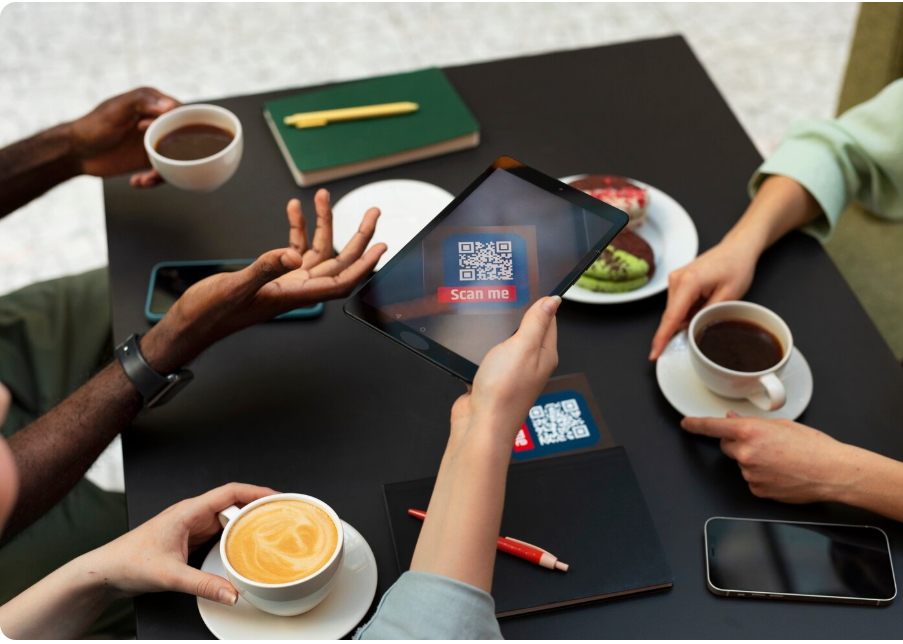
Digital sharing continues to evolve as businesses look for faster ways to connect with customers.
Short links, QR codes, and customizable landing pages have become useful tools for connecting online and offline experiences.
Several developments may influence the future of link management.
Greater Use of QR Codes
QR codes are increasingly useful in retail, hospitality, education, events, and customer support.
Businesses can use them to provide access to menus, registration pages, product instructions, and digital resources.
More Personalized Digital Experiences
Companies are looking for ways to provide content that matches a visitor’s device, location, language, or interests.
Smart targeting and deep linking can support more relevant user journeys when configured responsibly.
Better Campaign Analytics
Marketing teams increasingly need to understand which channels generate meaningful engagement.
Link analytics can contribute to this process by showing how audiences interact with shared destinations.
Greater Attention to Privacy
As digital tracking becomes more common, users are paying closer attention to data collection and privacy practices.
Link management platforms will need to balance useful campaign insights with responsible information handling.
Integration With Other Digital Tools
Businesses often use multiple applications for marketing, communication, analytics, and customer management.
Integrations and APIs can make it easier to connect link management activities with existing workflows.
Uitly.com describes integrations, tracking pixels, notifications, and developer API capabilities among its broader platform features. UITLY
Frequently Asked Questions About Uitly
1. What is Uitly used for?
Uitly.com is used for managing digital links. Its platform promotes URL shortening, QR code generation, bio pages, link analytics, custom aliases, and other marketing-related tools.
2. Can Uitly create QR codes?
Yes. QR code generation is one of the main tools advertised by Uitly.com. QR codes can help people access online destinations by scanning printed or digital codes with compatible devices. UITLY
3. Can I use Uitly for business marketing?
Uitly may be useful for businesses that share promotional links, manage QR codes, create bio pages, and monitor link engagement. Users should check current pricing, feature availability, and privacy terms before using it for important campaigns.
4. Is Uitly the same as Bitly?
No. Uitly and Bitly are separate services. They offer tools associated with link management, but their features, pricing, and operating policies should be compared individually.
5. Are Uitly.com and Uitly.io the same website?
No. They are separate domains with their own website presentations. Uitly.com and Uitly.io both describe link management tools, but their specific features and pricing claims should not be assumed to be identical.
| Read more: Fuerza Regida Net Worth in 2026 |



One thought on “Uitly: A Complete Guide to the Smart Link Management Platform, URL Shortener, QR Codes.”