Kodi On Demand: Complete Guide to Streaming Movies, TV Shows, and Live Content Safely
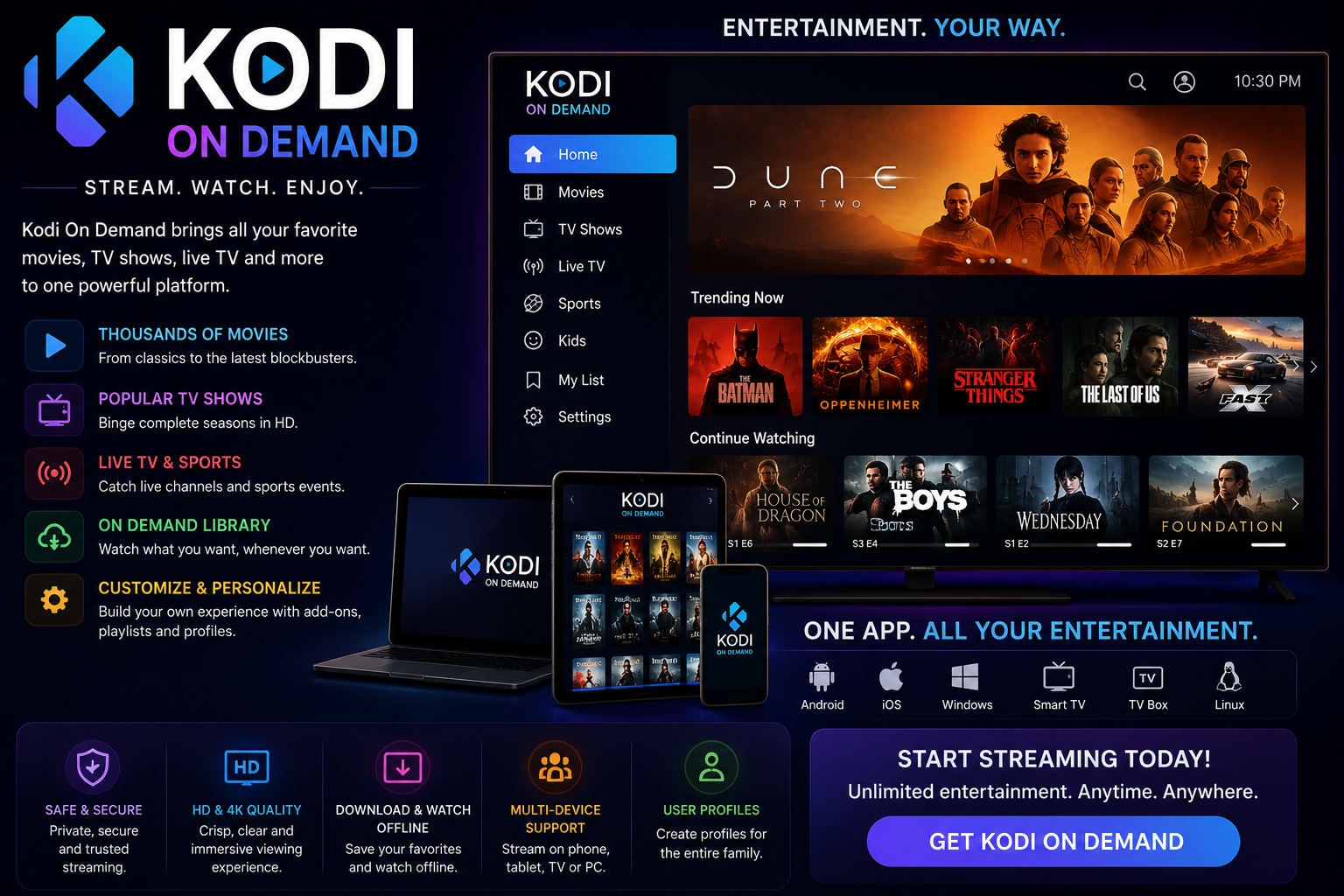
Kodi on demand has become one of the most searched streaming topics because it allows users to watch movies, TV shows, documentaries, sports replays, and other entertainment whenever they choose. Unlike traditional television schedules, on-demand streaming puts viewers in complete control over what they watch and when they watch it.
Kodi itself is a powerful open-source media center that can organize local media libraries while also supporting streaming through add-ons. Whether you’re a beginner installing Kodi for the first time or an experienced user looking for better streaming options, understanding how on-demand content works is essential for getting the best experience.
This guide explains everything you need to know, including installation, supported devices, legal considerations, recommended add-on categories, performance optimization, troubleshooting, and security best practices.
What Is Kodi?
Kodi is a free, open-source media player developed by the Kodi Foundation. It began as Xbox Media Center (XBMC) before evolving into one of the world’s most popular multimedia platforms.
Kodi can play:
- Local video files
- Music collections
- Photos
- Podcasts
- Live television (with compatible hardware or services)
- Streaming content through add-ons
One of its biggest strengths is flexibility. Instead of locking users into one streaming service, Kodi allows them to customize their entertainment setup according to their preferences.
What Does On-Demand Mean in Kodi?
On-demand streaming refers to watching content whenever you want instead of following a broadcast schedule.
Examples include:
- Movies
- TV series
- Anime
- Documentaries
- Recorded sports events
- Educational videos
- News replays
Instead of waiting for scheduled programming, users simply select content from a library and begin watching immediately.
How Kodi On Demand Works
Kodi itself does not include copyrighted movies or television shows.
Instead, it acts as a media platform that can:
- Organize local files
- Connect to personal media servers
- Access streaming services through compatible add-ons
- Display content in an easy-to-navigate interface
Most on-demand experiences rely on compatible add-ons that connect Kodi to online media libraries or personal collections.
The basic workflow is simple:
- Install Kodi.
- Add a compatible repository or official add-on.
- Browse available categories.
- Choose a title.
- Start streaming.
This modular design gives users tremendous flexibility while keeping the core application lightweight.
Features That Make Kodi Popular
Kodi offers much more than basic video playback.
Cross-Platform Compatibility
Kodi runs on many operating systems, including:
- Windows
- macOS
- Linux
- Android
- Android TV
- Raspberry Pi
- Fire TV devices
This wide compatibility makes it accessible for almost every type of user.
Customizable Interface
Users can personalize nearly every aspect of Kodi, including:
- Themes
- Menus
- Home screen layout
- Widgets
- Backgrounds
- Libraries
Media Library Management
Kodi automatically gathers:
- Posters
- Cast information
- Ratings
- Plot summaries
- Episode details
This creates a streaming experience similar to premium media platforms.
Remote Control Support
Kodi works with:
- Smartphone apps
- Wireless keyboards
- Bluetooth remotes
- TV remotes through HDMI-CEC
This makes navigation convenient even from across the room.
Benefits of Using Kodi for On-Demand Streaming
Many users prefer Kodi because it combines multiple entertainment sources into one interface.
Key advantages include:
- Free software
- Highly customizable
- Supports numerous file formats
- Excellent media organization
- Works across multiple devices
- Large developer community
- Frequent updates
- Smooth playback with proper configuration
Instead of switching between multiple apps, users can centralize their entertainment experience.
Supported Devices
Kodi performs well on various hardware configurations.
Desktop Computers
Ideal for users with large local media collections.
Benefits include:
- Better processing power
- More storage
- Easy configuration
Android TV
Android TV boxes remain one of the most popular Kodi platforms because installation is straightforward.
Amazon Fire TV
Fire TV devices are widely used for Kodi because they are affordable and portable.
Raspberry Pi
Many enthusiasts build dedicated home theater systems using Raspberry Pi.
Advantages include:
- Low power consumption
- Small size
- Affordable hardware
Smartphones and Tablets
Kodi also works on Android mobile devices, allowing portable access to media libraries.
How to Install Kodi
Installation is relatively simple.
Windows
- Visit the official Kodi website.
- Download the Windows installer.
- Run the installer.
- Complete setup.
- Launch Kodi.
Android
- Open Google Play Store.
- Search for Kodi.
- Install the application.
- Open Kodi.
Fire TV
Kodi can be installed through sideloading methods commonly used on Fire TV devices.
Always download Kodi from trusted sources.
Understanding Kodi Add-ons
Add-ons extend Kodi’s functionality.
There are several categories.
Official Add-ons
Official add-ons are reviewed before publication and generally provide a safer experience.
Examples include:
- News services
- Podcasts
- Educational platforms
- Public media
- Free streaming services
Personal Media Add-ons
These connect Kodi with:
- NAS devices
- Home servers
- Cloud storage
- Personal movie libraries
Utility Add-ons
Utility add-ons improve:
- Backups
- Maintenance
- Subtitle support
- Interface customization
- Library management
Choosing Reliable Add-ons
Not every available add-on offers the same quality.
Look for options that provide:
- Regular updates
- Active development
- Stable performance
- Good documentation
- Positive community reputation
- Transparent privacy practices
Avoid installing unknown software from unreliable sources.
Is Kodi On Demand Legal?
This is one of the most common questions.
Kodi itself is completely legal.
However, legality depends on how it is used.
Watching content you own or accessing licensed streaming services through approved add-ons is generally legal.
Using unauthorized sources to access copyrighted content without permission may violate copyright laws depending on your country.
Always understand your local regulations before streaming.
Is Kodi Safe?
Kodi’s official software is considered safe when downloaded from its official website.
Safety largely depends on:
- Where Kodi is downloaded
- Which add-ons are installed
- Device security practices
- Network protection
Best practices include:
- Keep Kodi updated.
- Install only trusted add-ons.
- Update your operating system.
- Use strong passwords on media servers.
- Avoid suspicious repositories.
Best Types of On-Demand Content Available
Kodi supports many entertainment categories.
Movies
Users can organize thousands of movies with automatic artwork and metadata.
Television Shows
Episode tracking and season organization are among Kodi’s strongest features.
Documentaries
Educational content is available through numerous legal streaming providers.
Kids Programming
Parents can organize family-friendly libraries with parental controls.
Music Videos
Kodi also functions as an excellent music video player.
Educational Content
Many universities and public organizations provide freely accessible educational material compatible with Kodi.
Improving Streaming Performance
A few adjustments can significantly improve playback quality.
Use Wired Internet
Ethernet connections generally provide:
- Lower latency
- Faster speeds
- Greater stability
Keep Kodi Updated
Updates often include:
- Bug fixes
- Security improvements
- Better compatibility
- Faster performance
Clear Cache
Over time, cached data may affect responsiveness.
Cleaning temporary files occasionally can improve overall performance.
Organize Your Library
Large libraries benefit from:
- Proper folder structures
- Consistent filenames
- Accurate metadata
- Artwork management
This improves navigation and search results.
Common Kodi On Demand Problems
Even experienced users occasionally encounter issues.
Buffering
Possible causes include:
- Slow internet
- Busy servers
- Weak Wi-Fi
- Device limitations
Solutions:
- Restart your router.
- Reduce background downloads.
- Use Ethernet.
- Lower playback quality if available.
Add-on Errors
Try these steps:
- Update the add-on.
- Restart Kodi.
- Reinstall the add-on.
- Clear cache.
Missing Artwork
Refresh the media library or update metadata from supported information providers.
Playback Failures
Check:
- Internet connection
- File compatibility
- Device storage
- Add-on updates
Tips for the Best Kodi Experience
Experienced users often recommend the following practices:
- Organize media into folders.
- Back up Kodi settings regularly.
- Update add-ons frequently.
- Remove unused extensions.
- Use high-quality hardware.
- Maintain sufficient storage space.
- Scan local libraries after adding new content.
Small maintenance habits can significantly improve long-term performance.
Kodi On Demand vs Traditional Streaming Apps
| Feature | Kodi | Traditional Streaming Apps |
|---|---|---|
| Cost | Free software | Subscription often required |
| Customization | Excellent | Limited |
| Local media support | Yes | Usually limited |
| Multiple content sources | Yes | Usually one provider |
| Themes | Extensive | Minimal |
| Offline library management | Excellent | Varies |
| Add-on support | Yes | Rare |
| Device flexibility | Very high | Depends on provider |
Kodi offers greater flexibility, while traditional streaming platforms often provide exclusive licensed content and simplified user experiences.
Who Should Use Kodi?
Kodi works particularly well for:
- Home theater enthusiasts
- Users with large personal media collections
- Families organizing local entertainment
- Tech-savvy users who enjoy customization
- People using multiple devices
It may be less suitable for users seeking a simple plug-and-play streaming service with no setup.
Frequently Asked Questions
Is Kodi free to use?
Yes. Kodi is completely free and open-source software with no subscription fees.
Can Kodi stream live TV?
Yes. Kodi supports live TV when used with compatible backends, tuners, or supported streaming services.
Does Kodi require an internet connection?
Not always. Local media files can be played without internet access. Internet is required for streaming online content and downloading metadata.
Can I use Kodi on multiple devices?
Yes. Kodi can be installed on multiple supported devices, allowing you to access your media library across different platforms.
How often should Kodi be updated?
Installing the latest stable version whenever available is recommended to benefit from security updates, bug fixes, and performance improvements.
Conclusion
Kodi remains one of the most versatile media centers available today, offering exceptional flexibility for users who want to manage local libraries and access legitimate on-demand entertainment through supported add-ons. Its cross-platform compatibility, extensive customization options, and active open-source community have helped it remain relevant for years despite the growing number of streaming services.
For the best experience, download Kodi from official sources, keep the software updated, use reputable add-ons, and organize your media library effectively. By following these best practices, you can enjoy a fast, reliable, and highly personalized entertainment system that delivers movies, TV shows, documentaries, music, and more whenever you want to watch them.